Getting Started
Welcome to the Automatonix Drone Testing System (ATDS) platform! Here you'll find everything you need to begin your drone hacking journey.
What is Automatonix Drone Testing System?
Automatonix Drone Testing System is a virtually simulated environment designed for offensive security professionals to safely learn and practice drone hacking techniques. It simulates real-world ArduPilot & MavLink drone architectures and vulnerabilities, offering a hands-on experience in exploring and exploiting drone systems. Automatonix Drone Testing System aims to enhance offensive security skills within a controlled, ethical framework, making it an invaluable tool for intermediate-level security professionals, pentesters, and hacking enthusiasts.
Why was it built?
Flight simulators have been used for decades in the aviation industry to train pilots on how to use and get familiar with complex aircraft systems. Recent advances in open-source flight controllers, ground control software and simulators have extended this capability to the world of autonomous drones and UAVs (unmanned aerial vehicles).
Similar to how pilots utilize flight simulators for training, we can use the Automatonix Drone Testing System simulator to gain in-depth knowledge of real-world drone systems, understand their vulnerabilities, and learn effective methods to exploit them.
The Automatonix Drone Testing System platform is open-source and available at no cost and was specifically designed to address the substantial expenses often linked with drone hardware, hacking tools, and maintenance. Its cost-free nature allows users to immerse themselves in drone hacking without financial concerns. This accessibility makes Automatonix Drone Testing System a crucial resource for those in the fields of information security and penetration testing, promoting the development of offensive cybersecurity skills in a safe and ethical environment.
How does it work?
The Automatonix Drone Testing System platform operates on the principle of Software-in-the-Loop (SITL), a simulation technique that allows users to run drone software as if it were executing on an actual drone, thereby replicating authentic drone behaviors and responses.
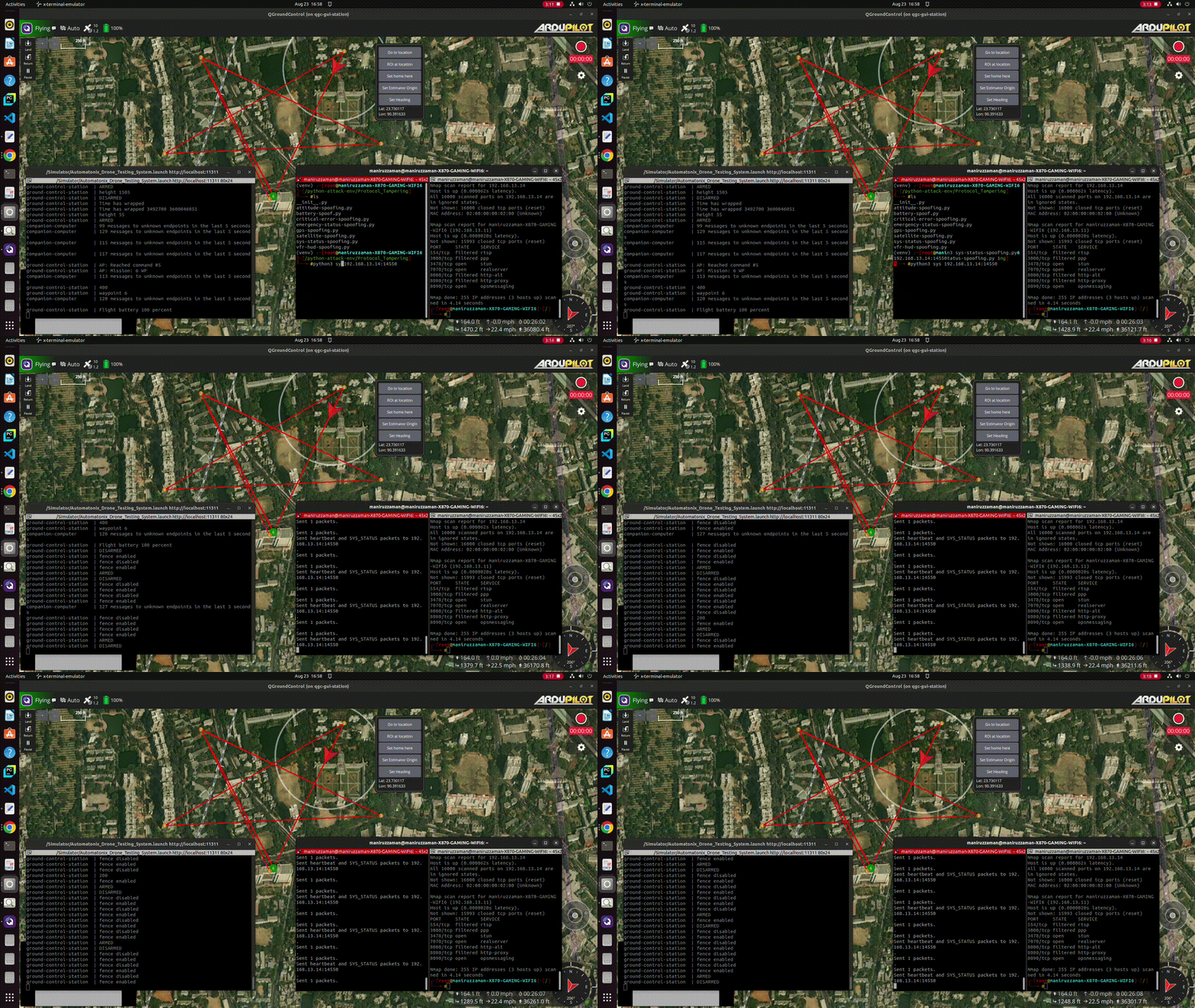
ArduPilot's SITL allows for the execution of the drone's firmware within a virtual environment, mimicking the behavior of a real drone without the need for physical hardware. This simulation is further enhanced with Gazebo, a dynamic 3D robotics simulator, which provides a realistic environment and physics engine for the drone to interact with. Together, ArduPilot's SITL and Gazebo lay the foundation for a sophisticated and authentic drone simulation experience.
While the current Automatonix Drone Testing System setup doesn't mirror every drone architecture or configuration, the integrated tactics, techniques and scenarios are broadly applicable across various drone systems, models and communication protocols.
How should I use Automatonix Drone Testing System?
Follow these steps to get the most out of ATDS:
Step 1: Read the Basic Operations Guide
Delve into the Basic Operations guide. This document will help you navigating the environment, as well as the tool you'll use to initially interact with the drone by engaging it's flight states. (Within the simulator, we assume flight states are triggered by the ground control station "operator", and not you, the drone hacker)
Step 2: Review the System Architecture
Get a better idea of the Automatonix Drone Testing System System Architecture. This will outline the core components used in a typicaly drone-stack, including flight controlls, ground control stations, and companion computers. This part will also help steer you away from accidently attacking the simulator infrastructure (preventing you from breaking ATDS)
Step 3: Review documentation on MAVLink & Ardupilot
After getting familiar with the Simulator, you'll want to read about MAVLink and Ardupilot. This will ensure some you will have a good foundational understanding with some of the concepts introduced in the attack scenarios.
Step 4: Start the Attack Scenarios
Next, actively engage with the Attack Scenarios presented by ATDS. Start with reconnaissance to understand the simulated environment you're working in, then methodically progress through the scenarios from wireless attacks to data exfiltration. For users who have set up ATDS with virtual wifi, you can explore the Wireless Network Attack scenarios to deepen your understanding of network vulnerabilities. If you didn't install the virtual wifi component, it's assumed you have network access, and you can skip directly to focusing on other vulnerabilities within the drone's network.
Tips for Success
No prior drone knowledge is required to start. Use the platform as a learning tool to understand drone protocols and systems from an offensive security perspective. Start by exploring the drone's architecture, firmware, and communication protocols through the provided Learning Resources.
Gain proficiency with the simulator. Basic operations like "Reset View" and "Reset Simulator" are crucial for effective navigation.
Before referring to the Solutions Guide, try to exploit built-in vulnerabilities. This hands-on approach will enhance your problem-solving skills and deepen your technical understanding.
Get comfortable with high-level hacking techniques against flight controllers, companion computers and ground control systems.
How should I not use Automatonix Drone Testing System?
Automatonix Drone Testing System is an educational platform designed for offensive security learning and enhancing cybersecurity practices, and should not be used as a means to engage in unauthorized probing or attacks on real-world drone systems. It is imperactive that users do not leverage the tools, techniques, and/or knowledge gained from Automatonix Drone Testing System to compromise the security of live drone and/or aircraft systems without explicit permission.
Misuse of the Automatonix Drone Testing System platform may lead to legal consequences. Always use Automatonix Drone Testing System responsibily, with the intention of improving security and sharing knowledge within the bounds of local laws.
Below are some additional ways Automatonix Drone Testing System should not be use:
Community Support
The Automatonix Drone Testing System platform thrives on the active participation and collaboration of its user community. This community is a collective of like-minded individuals ranging from cybersecurity enthusiasts to professional ethical hackers, all focused on sharing knowledge and advancing skills in drone security. Whether you're encountering technical issues, seeking advice on tackling scenarios, or looking to discuss the latest trends in drone vulnerabilities, the ATDS community is a valuable resource.
The community Slack Channel is available for users to connect, share experiences, and provide mutual support. Users are encouraged to participate actively, ask questions, and offer help to others. Experienced members of the community often mentor newcomers, fostering a culture of continuous learning and improvement. Remember, every question you ask and every answer you provide helps the entire community grow stronger.
Feedback & Contributions
The platform maintains a GitHub open source repository where users can submit their contributions. These contributions are reviewed by the maintainers and, if aligned with the project's goals, are integrated into the platform. By contributing, you help ensure that the ATDS remains a cutting-edge tool for learning and practicing drone hacking techniques in a safe and ethical manner.
If you have developed a new attack scenario, discovered a way to improve the simulation, or created educational content that could benefit others, create a GitHub Pull Request. Contributions can take various forms, from code patches and feature suggestions to writing documentation and creating tutorial videos.
Feedback is the cornerstone of growth for the Automatonix Drone Testing System platform. Users are encouraged to provide their insights by creating a GitHub Issue. Do your best to including any challenges faced and suggestions for enhancements. This feedback is invaluable for the ongoing development and refinement of the platform.